Ms. Rachel’s Songs for Littles has many parents asking: can YouTube Kids help toddlers learn language? This article explains the “Ms. Rachel effect” — what makes her videos speech-friendly, what research and pediatric guidelines say, and how caregivers can turn screen moments into powerful, evidence-based language-building routines at home.
Why Ms. Rachel Videos Resonate with Toddlers
Rachel Griffin Accurso is the creator of the Songs for Littles YouTube series. Most parents know her simply as Ms. Rachel. She started her channel in 2019 after searching for resources to help her own son with a speech delay. She is not just a social media personality; she holds master’s degrees in early childhood education and music education. This background informs every design choice in her videos. Her content is specifically built for children under three years old, focusing on language development through a specific pedagogical lens. By 2024, her main channel had grown to over 10 million subscribers. This massive reach has sparked a global conversation about how digital media can support early communication.
Child Directed Speech and Articulation
The most noticeable feature of these videos is the use of child directed speech, often called parentese. It involves a higher pitch, a melodic tone, and a slower tempo than normal adult conversation. This style of speaking is not just for entertainment; it helps infants and toddlers tune into the specific sounds of language. Ms. Rachel uses very slow and clear articulation, often positioning her face close to the camera. This allows children to see the exact movement of her lips and tongue. Is Ms. Rachel Good for Kids? A Neuropsychologist Weighs In suggests that this clear enunciation supports speech development by making the mechanics of talking visible. PureWow notes that the content is designed to be simple and not overwhelming for young brains.
Repetition and Predictable Routines
Toddlers learn through constant repetition. The videos use this principle by repeating target words and phrases many times within a single segment. A video might focus on the word “put” while Ms. Rachel places blocks in a bucket, saying the word every time the action happens. This creates a predictable routine where children begin to anticipate what comes next. This predictability builds confidence and encourages them to try saying the word themselves. The videos also use musical scaffolding. Simple songs provide a rhythmic structure for language, helping children remember sequences of words and making the learning process feel like play rather than a lesson.
Multimodal Input and Visual Supports
The series uses multiple ways to convey meaning at the same time, known as multimodal input. When Ms. Rachel says a word, she often uses a hand gesture or a formal sign language sign. She might also show a text label on the screen. A child sees the object, hears the name, sees the sign, and sees the written word. This layering helps different types of learners grasp the concept and provides several paths for the brain to store the information. She uses these tools to teach both nouns like “apple” and verbs like “jump.”
Alignment with Speech Language Pathology Principles
The design of Songs for Littles mirrors many strategies used by speech language pathologists. One core principle is modeling: Ms. Rachel models the correct way to produce sounds and combine words. Another principle is joint attention, which happens when two people focus on the same thing. Ms. Rachel achieves this by pointing to objects and looking directly into the lens, mimicking the eye contact found in face-to-face interactions. She also uses social contingency—the idea that communication is a two-way street. She asks a question and then stops, waiting for several seconds in silence. This intentional pause gives the child a chance to process the question and attempt a response, teaching the basic rhythm of a conversation.
Concrete Examples of Learning Segments
In a typical segment, Ms. Rachel might hold up a toy car. She points to the car and says the word “car” very slowly. Then she asks the viewer to say it, putting her hand to her ear and waiting. This specific technique invites the child to participate. She uses simple songs to teach functional language. For example, she might sing about clapping hands to teach the verb “clap,” demonstrating the action while singing. This helps the child connect the word to the physical movement. These segments are short, focused, and lack the fast cuts and loud background music found in many other children’s shows.
Reach versus Clinical Efficacy
The popularity of these videos is undeniable, with billions of views. Parents across the world report that their children have started talking after watching. However, it is important to remember that reach does not equal clinical efficacy. A video cannot replace the personalized care of a licensed speech language pathologist, nor can it adapt to the specific needs of a child with a complex developmental disorder in real time. The success of these videos often depends on how a caregiver uses them. While the format is promising, we must look at the broader scientific evidence and understand what pediatric organizations say about screen time and the “video deficit effect” to use these tools safely.
What the Research and Pediatric Guidance Say about Screens and Toddlers
The American Academy of Pediatrics (AAP) offers a roadmap for digital media use that prioritizes brain development. For the youngest children under 18 months, the guidance is simple: avoid screen use entirely with the exception of video chatting. This is because video calls provide a level of social interaction that standard videos lack. Once a child reaches the 18 to 24 month window, parents can start introducing high-quality programming. However, the AAP insists that parents watch these shows *with* their toddlers. This co-viewing helps children understand what they are seeing and how it applies to the world around them. For children aged 2 to 5, the recommendation is to limit screen time to about one hour per day. The focus remains on high-quality educational content and interactive activities rather than passive watching.
A major reason for these strict limits is the video deficit effect. This concept describes how infants and toddlers learn significantly less from a screen than from a live human interaction. Research from 2007 highlighted this issue by showing that infants between 8 and 16 months who watched certain baby media knew six to eight fewer words than those who did not. Specifically, each hour of viewing was linked to a drop in language scores. On the other hand, daily reading was associated with a boost in those same scores. The evidence suggests that passive viewing does not work as a language intervention because toddlers struggle to translate 2D images into 3D concepts.
Ms. Rachel’s format is different from many other children’s shows because it incorporates features that reduce this deficit. She uses social contingency and direct address. By looking directly at the camera and using a high-pitched sing-songy voice, she captures a child’s attention in a way that mimics real-life talk. Her videos include deliberate pauses that invite the child to respond. This creates a pseudo-interaction that is much more effective than a fast-paced cartoon. Experts like those mentioned in PureWow note that her use of simple words and clear enunciation supports speech development. However, even with these design choices, the video alone is rarely enough.
| Age Group | AAP Recommendation | Key Focus |
|---|---|---|
| Under 18 months | No screens (except video chat) | Human interaction |
| 18 to 24 months | High-quality programming | Co-viewing with parent |
| 2 to 5 years | 1 hour per day | Interactive activities |
The benefits of these videos appear most clearly when they are paired with caregiver interaction. Research indicates that toddlers learn best when a video is used as a model for play and routines. If Ms. Rachel models a gesture or a word, the parent should repeat it in real life. This scaffolding bridges the gap between the screen and the physical world. Without this active participation from a caregiver, the evidence for language gains from passive viewing remains mixed or limited. The video should be a starting point for a conversation, not a replacement for one.
Ms. Rachel’s background in early childhood development and music education allows her to align her content with speech-language pathology principles. She uses multimodal input, combining speech with gestures and sign language. This approach helps children with different learning styles. Still, parents must remember that these videos are tools. They are most useful when used to teach the caregiver how to interact with their child. The goal is to eventually fade the video reliance and continue the taught routines during daily life, such as snack time or play.
While the AAP guidance acknowledges that well-designed media can have learning elements, it also warns against over-reliance. Screen time should never replace the rich, back-and-forth talk that happens during a walk in the park or while building blocks. The most effective strategy is to use the video to learn new ways to engage with your toddler. By tracking milestones and using expert-backed strategies, you can ensure that screen time supports rather than hinders language development.
Practical Parent Friendly Strategies for Using Ms. Rachel Style Content at Home
Using educational videos as a tool for speech works best when you have a plan. You can turn a screen into a conversation by following a few simple steps. This process starts before you even press play. You want to choose a specific goal for the session. Pick three target words that appear in the video. If the segment is about the farm, your words might be cow, moo, and more. Having a small list helps you stay focused. You can even write these words on a sticky note and put it on the edge of the television. This reminds you to emphasize those specific sounds throughout the day.
The Co-Viewing Method
Sit next to your child while the video is on. This is called co-viewing. It is the opposite of passive watching. When the person on screen asks a question or pauses for a response, use your remote. Pause the video to give your child extra time to think. Toddlers often need five to ten seconds to process a request. If they do not respond, you can model the word for them. Use a slow and clear voice. This matches the child directed speech used in high quality content. According to experts, this type of repetition and slow pace is why some videos are more effective than others. You can read more about this in the article Is Ms. Rachel Good for Kids? A Neuropsychologist Weighs In. The goal is to make the screen feel like a person who is waiting for them to speak.
Using Real Objects
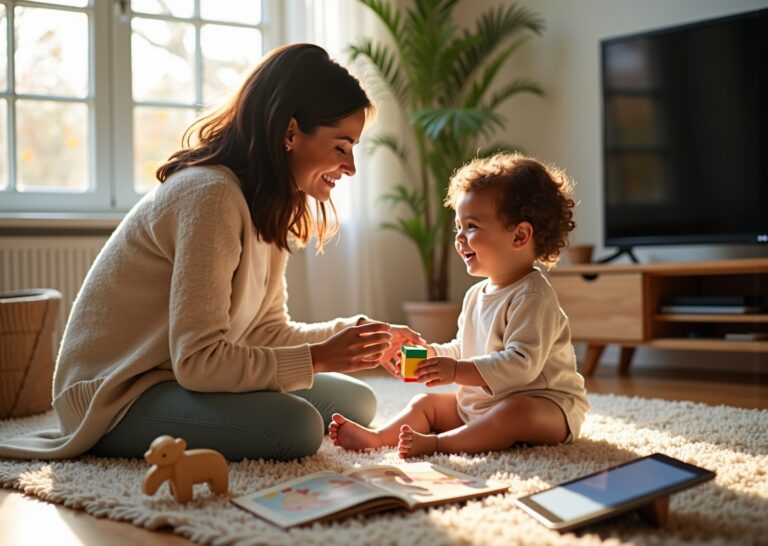
Bring real items into the room that match what is on the screen. If the video shows a ball, hold a real ball in your hands. When the video asks the child to find the ball, they can touch the real object. This helps them understand that the word on the screen matches the item in their hand. It bridges the gap between a flat image and the real world. You can do this with plastic animals, fruit, or even a hairbrush. If the video features a song about bubbles, have a bottle of bubbles ready to blow when the song starts. This makes the session active and physical.
Scaffolding Techniques for Language
You can use different ways to help your child move from listening to speaking. These are called scaffolding techniques. They provide just enough support for the child to take the next step in their development.
| Technique | How to Do It | Sample Script |
|---|---|---|
| Imitation | Ask the child to repeat a simple word. | Say ball. Ready? Ball. |
| Choice Prompts | Give two options to encourage a word. | Do you want the cow or the pig? |
| Expansion | Add one word to what the child says. | Child says car. You say blue car. |
| Recasting | Correct the grammar by repeating it back. | Child says car go. You say the car goes. |
| Turn-Taking | Wait for a physical or vocal response. | My turn to clap. Now your turn. |
Integrating AAC and Visual Supports
Some children benefit from extra visual support. You can use simple signs or picture cards alongside the video. When the video says more, show the sign for more with your hands. If you use a communication device, model the target word on the screen as it happens in the video. This helps children who are visual learners. It gives them a way to communicate even if they are not yet using their voice. You can print out simple pictures of the target words. Point to the picture of the apple when the video shows an apple. This creates multiple ways for the child to learn the same concept.
Moving Beyond the Screen
The real learning happens after the screen is off. Create a two minute routine to use the new words in daily life. During diaper changes, you can repeat the action words from the video. If the video was about jumping, say up and down while you lift them. During snack time, use the words more and please. You can sing the same songs from the video while you are in the car or the bathtub. This helps the child realize that language is useful everywhere. It is not just something they do in front of a television.
Session Length and Fading
Keep these sessions short. Five to ten minutes is enough for a toddler. You can do this two or three times a day. It is better to have several short and active sessions than one long period of sitting. After two weeks of using a specific video, try to do the same activities without the screen. Use the same toys and the same songs. You want the child to rely on you for interaction. The video is a model for you to follow. Once you know the routine, you can become the main teacher. This helps reduce screen time while keeping the language benefits. You are moving from a video based routine to a play based routine.
Tracking Progress Milestones When Using Screen Based Resources
Watching videos together is a starting point but tracking growth is how you know the effort pays off. You want to see if those screen sessions turn into real world skills. Language development follows a fairly predictable path even if every child moves at their own pace. Understanding these markers helps you decide if your current routine is working or if you need to change your approach.
Language Milestones by Age
9 to 12 Months
At this stage you should hear plenty of babbling. Babies start using different consonant sounds. They use strings of syllables. They use gestures like pointing or waving to get your attention. This is the foundation for later speech. If a child is not making these sounds they might not be ready for word based video content yet.
12 to 18 Months
This is when the first true words usually appear. Your child might use a few specific words for people. They might name favorite objects. By 18 months many children have a small but growing vocabulary of about 10 to 50 words. They should start to understand simple one step directions without gestures.
18 to 24 Months
Vocabulary often explodes during this window. Most toddlers reach the 50 word mark. They start to put two words together. You might hear things like more juice or mama go. This stage is where Ms. Rachel style content is often most effective because it models these short phrases clearly.
24 to 36 Months
The range here is wide. Children typically use two to three word combinations. Their vocabulary grows from 200 to 1000 words. They start to follow more complex directions. They use language to tell simple stories about their day. You can find more about how these videos support this growth in this report on Ms. Rachel and language development.
| Age Range | Typical Language Expectations | Red Flags to Watch For |
|---|---|---|
| 9 to 12 Months | Babbling with various sounds and using gestures like waving. | No babbling or lack of back and forth interaction. |
| 12 to 18 Months | First words appear and vocabulary reaches 10 to 50 words. | Fewer than 6 words or no response to simple names. |
| 18 to 24 Months | Vocabulary of 50 or more words and starting two word phrases. | No two word combinations or limited interest in toys. |
| 24 to 36 Months | Using 200 to 1000 words and forming short sentences. | Speech is very difficult to understand or skills are lost. |
How to Track Progress at Home
Daily Checklist Logs
Spend 5 to 10 minutes each evening marking down what you heard. Keep a simple list on your fridge or a small notebook. Note if your child imitated a sound from a video. Write down if they used a word spontaneously during play. This helps you see patterns over a week rather than guessing from memory. It makes it clear if they are actually learning from the screen.
Video and Audio Samples
Record a short clip once a week during a play session. Watching these back every month makes progress much more obvious. You might notice a sound becoming clearer. You might see a gesture becoming more intentional. These small wins are easy to miss in the daily routine.
Specific Measurable Goals
Set a target for your home sessions. A good goal is for your child to produce 5 target words independently after three prompted sessions. If you are focusing on the word ball track how many times they say it without you asking first. This data tells you when it is time to move on to new vocabulary.
Home Based Probes
Test skills outside of the video context. Ask your child to point to named pictures in a book. Ask them to show you an action like jumping. If they can do it with the video but not with you in the kitchen they have not fully mastered the concept. This study on communication skill development highlights how parent assistance is vital for this transfer of learning.
Recognizing Red Flags
Early Warning Signs
If there is little or no babbling by the first birthday it is time to pay attention. A lack of gestures like pointing is a concern at this age. By 18 months having fewer than 6 to 12 words is a common reason for a checkup. You want to see a child trying to communicate even if the words are not perfect.
Communication Gaps
The absence of two word combinations by age two is a significant marker. If your child only uses single words or relies entirely on gestures it suggests a need for more support. Any regression of skills where a child stops using words they once had is a major red flag. A lack of joint attention or not looking at what you point to also warrants a professional look.
When to Seek Professional Help
Deciding between home strategies and professional help depends on the severity of the delay. If your child meets most milestones but is just a little slow with new words you can try targeted home strategies for a month. Use the techniques of co-viewing and active play. Track the data closely. If you see no improvement after four weeks of consistent effort then an in person assessment is the next step. Contact an early intervention program or a speech language pathologist. Professional evaluations provide a roadmap that home videos cannot replace. Early intervention is highly effective. Getting an expert opinion early leads to better long term outcomes for your child.
Common Questions Answered Frequently Asked Questions
Many parents find themselves navigating a sea of conflicting advice regarding digital media. It is common to feel a mix of guilt and curiosity when your toddler is mesmerized by a screen. This section addresses the most frequent concerns with direct answers based on current research and expert guidelines.
Is the YouTube Kids app a safe space for toddlers
The YouTube Kids app is generally safer than the standard YouTube platform because it uses automated filters and human review to sort content. However, no algorithm is perfect. Parents should use the “Approved Content Only” setting to ensure their child only sees specific channels like Ms. Rachel. This prevents the autoplay feature from leading to inappropriate or low-quality videos. Setting up individual profiles for each child allows you to monitor their watch history and block any content that does not align with your family values.
What makes Ms. Rachel’s approach different from other shows
Ms. Rachel Accurso uses specific techniques from speech-language pathology that encourage active participation. While many shows are passive, she employs “parentese” and frequent pauses that give children time to respond. This mimics the “serve and return” nature of real conversation. Research suggests that these pedagogical features, such as direct address and social contingency, help reduce the “video deficit” where children struggle to learn from screens. Her background in early childhood development and music education allows her to create musical scaffolding that makes language predictable and easier to learn.
How should I use these videos if my child has a delay or autism
For children with language delays or autism, videos can be a visual aid but require more parental support. You might use the video to introduce a new sign or a picture card. If the video shows a ball, hold up a real ball at the same time. This helps the child bridge the gap between the screen and the physical world. Using Augmentative and Alternative Communication (AAC) tools alongside the video can provide extra support. Keep sessions very short, perhaps five minutes, and focus on one specific goal like pointing or making a single sound.
Should I turn on the captions while we watch
Captions can be a helpful tool for visual learners. They provide a multimodal experience where the child sees the word while hearing it. This can support early literacy skills as they begin to recognize that printed symbols represent spoken sounds. It is not a requirement for speech development, but it certainly does not hurt and can provide an extra layer of reinforcement for toddlers who are starting to show interest in letters.
Are there concerns about ads or data privacy
In the United States, YouTube Kids is designed to be COPPA compliant, meaning it does not collect personal data from children under 13 for advertising purposes. If you use a YouTube Kids profile, your child should not see traditional commercials. This is a major benefit over the standard YouTube site where targeted ads are common. However, some videos may still contain “product placement” or branded content, so staying involved in what they watch is the best way to ensure they are not being marketed to during their learning time.
Closing Takeaways and Recommendations
The success of the Ms. Rachel series has given parents a new way to think about screen time. It is no longer just about keeping a child quiet while you make dinner. Instead, these videos offer a structured way to model language. But the most important takeaway is that the video is only half of the equation. The real progress happens when you take what is on the screen and bring it into your child’s physical world. Research shows that toddlers often struggle to transfer 2D information into 3D life without help. This is why your presence during these sessions is the bridge that turns a video into a learning moment.
Practical Steps for Tomorrow
You can start making screen time more productive by changing a few simple habits. First, keep the sessions short. Aim for five to ten minutes of focused viewing rather than letting a long video run in the background. When the video is short, your child is more likely to stay engaged. Sit on the floor with your child so you are at their eye level. This is co-viewing, and it is the most effective way to use media. It allows you to see what they are interested in and respond to their reactions in real time.
Before you press play, choose one target word or action for the day. If the video features the song about the wheels on the bus, your target might be the word round or the circular hand motion. When Ms. Rachel pauses and looks at the camera, she is waiting for a response. You should use that pause to look at your child. If they stay silent, you can model the word or the gesture for them. This mimics the natural back and forth of a real conversation. It teaches the child that communication is a two way street.
Balancing the Language Diet
Think of your child’s daily routine as a language diet. Screen based learning should only be a small portion of that diet. The majority of their day should be filled with rich, live interactions. Talk to your child while you are changing their diaper or preparing a snack. Describe what you are doing using simple sentences. If they say car go, you can expand on that by saying yes, the blue car goes fast. This is called recasting, and it is a powerful way to build their vocabulary. The human connection provides social cues and emotional feedback that a screen simply cannot replicate. Ms. Rachel is a wonderful supplement, but your voice is the one they need to hear the most.
Prioritized Action Checklist
- Co-view every video session and sit at eye level with your child to encourage joint attention.
- Pause the video frequently to wait for your child to respond or to model the target word yourself.
- Use real toys or household objects to practice the concepts shown on the screen during and after the video.
- Keep a daily log of new words or gestures to track progress and identify any potential delays early.
- Prioritize live talk and play throughout the day to ensure the video content is reinforced by real world interaction.
References
- The Impact of the “MsCommunication Skills Development of a Child — The aim of this study is to investigate and evaluate the influence of an educational video created by Ms. Rachel on a child's communication skill development.
- Is Ms. Rachel Good for Kids? A Neuropsychologist Weighs In — Rachel's content is considered good for kids because it's designed to support early speech and language development with the use of simple words …
- Can Babies Learn from Ms. Rachel and Other Baby TV Shows? — Rachel or other baby media is unlikely to advance your child's language or development in any way. In other words, there is nothing wrong …
- YouTube Channel Statistics Ms Rachel – Toddler Learning Videos — Explore Ms Rachel – Toddler Learning Videos YouTube stats: real-time subscriber count, total views, engagement rate, and growth trends.
- Is Ms. Rachel Good for Kids? – Northeastern Global News — Rachel's “Song's for Littles” YouTube series is designed for language development in children 3 and under. While Accurso herself is a trained …
- Watching Ms. Rachel: How To Advise Parents of Infants and Toddlers — Ms. Rachel is a popular YouTube influencer who makes videos for infants and young children. She has masters degrees in early childhood …
- Ms. Rachel Talks Development Myths and Her New Toy Line — Rachel's familiar voice and plenty of sensory-rich, hands-on elements that keep kids entertained while encouraging language development.
EMPTY